
Clockwork Pi uConsole: Pocket Linux Box I Actually Use
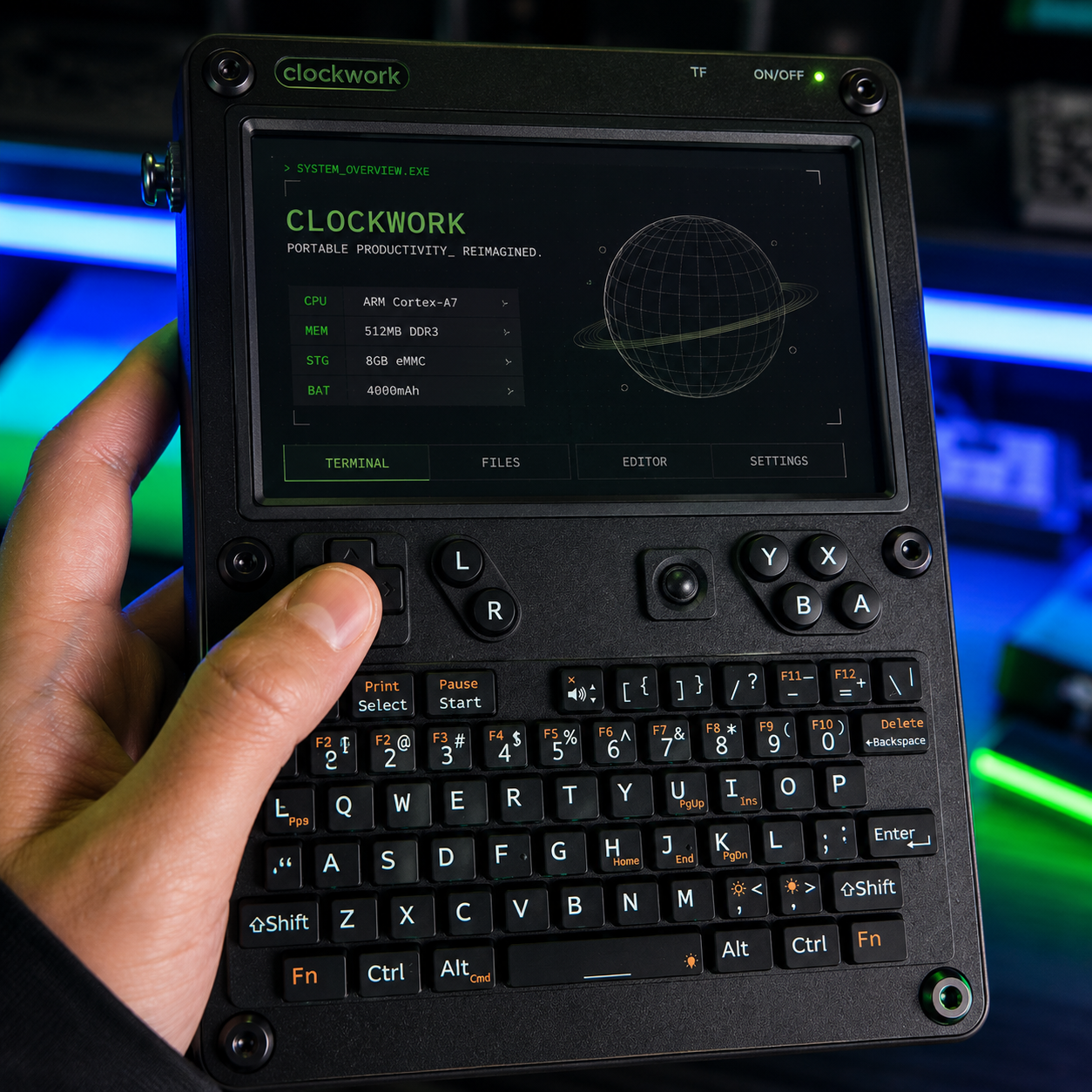
The uConsole is a small handheld computer made by the fantastic devs at Clockwork Pi. It’s built around the Raspberry Pi Compute Module 4 (CM4) and gives you a full Linux machine you can throw in a bag.
It has:
-
A built‑in screen
-
Full keyboard and trackball
-
Speakers and audio jack
-
Battery bay for 18650 cells
-
USB, mini‑HDMI, and expansion port
Basically, it’s a tiny laptop / cyberdeck that runs real Raspberry Pi OS, not some locked‑down tablet OS.
Why I Stock It Instead of Making You Wait
Clockwork Pi is a great team and the uConsole is a very popular product.
Because of that:
-
Orders can take 6 months to a year to ship from Clockwork Pi
-
There are delays from CM4 supply and the optional cellular module
-
People end up waiting a while for something they’re really hyped about
I loved the idea of the uConsole but hated that wait, so I started stocking units myself. That way you don’t have to wait a while. You just order from my store and get a uConsole that’s already here in the US.
What You Get in a uConsole
The uConsole is basically an enclosure plus mainboard for the Raspberry Pi CM4 (Not Included) The CM4 is like a normal Raspberry Pi 4, but in a smaller module that plugs into a carrier board.
The shell adds:
-
Screen: Sharp, good viewing angles, solid for coding and terminal work
-
Keyboard: Small, but usable once you get used to it
-
Trackball: Built‑in pointing device so you don’t need a mouse
-
Battery support: Uses two 18650 cells for portable power
-
Ports: USB on the side for hubs, mini‑HDMI for external monitor, GPIO exposed on the board
Once it’s built, you get a solid little metal handheld that feels way more “real” than a random 3D‑printed case.
Building and Setting It Up
The uConsole ships as a kit, but the build is easy:
-
All screws are the same size
-
One hex key is included in the box
-
Boards and panels just slot together
There’s a full paper manual inside that honestly feels like a Lego guide. It walks you through dropping the CM4 into the daughterboard, plugging that into the main board, and routing the display cable and Wi‑Fi antenna.
After about 30 minutes, you’ve got a working handheld, ready for an OS.
For software, most people use:
-
Clockwork Pi’s official uConsole image (based on Raspberry Pi OS)
-
Community images if you want other distros
You flash the image to a microSD card, pop it into the top of the unit, and boot.
What It’s Actually Good At
Because it’s a full Linux box, not a toy, the uConsole is great for:
-
Programming on the go: VS Code / editors, terminals, Python, JS, PHP, etc.
-
Hacking / tools: Run Kali or other security tools from an SD card image
-
Retro gaming: DOSBox, ScummVM, PICO‑8, Doom, and more
-
General Linux stuff: Web, text editing, servers, Docker (within limits)
You’re not going to replace a big desktop with it, but for learning, travel, and tinkering, it’s way more fun and flexible than a locked‑down tablet.
Things That Aren’t Perfect
Since I’m using this thing myself, here are the real‑world downsides:
-
Wi‑Fi isn’t amazing with the stock antenna placement
-
Speakers are tiny, fine for system sounds but not for music
-
Keyboard and trackball are okay but not as comfy as a full‑size setup
The nice part is you can plug in:
-
A USB Wi‑Fi dongle
-
External keyboard and mouse
-
External display via mini‑HDMI
So most of the “not perfect” stuff is easy to work around if you’re at a desk.
Why Buy From Me Instead of Waiting
Core reasons I stock the uConsole:
-
Clockwork Pi’s devs build awesome hardware but are backlogged for 6–12 months
So I bring uConsoles in, deal with the waiting and logistics, and keep them here in Colorado. You just order, and I ship from the US.
If you want a small, hackable Linux box that feels like a finished product, not a science project, the uConsole is it. And you don’t have to wait a year to get your hands on one.